How CatNap Works
Block your distracting apps. Scan your cat to unlock. It's that simple—and that effective.
Register Your Cat
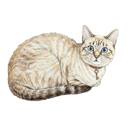
Take up to three photos of your cat. Each registered cat becomes a 'CatKey' that can unlock your apps.
Block Your Apps
Choose which apps distract you most. TikTok, Instagram, Twitter, games—lock them down. CatNap uses Apple's Screen Time API to block them.
Scan to Unlock
When you want to use a blocked app, point your camera at your cat. CatNap's AI compares the image with your CatKey photos (it's told to reject photos of photos and toys). Once it matches, your apps unlock for a set time.
Enjoy Focus Time
You've traded doom-scrolling for cat time. Your apps are unlocked, but more importantly, you've interrupted the automatic reach-scroll habit. Pet your cat, take a breath, and use your apps intentionally.
More Than Just Blocking
Leaderboards
Compete with friends to see who blocks the most screen time. Weekly rankings show cumulative 'guard time'—the total time your cats have blocked your apps.
Contracts
Commit to blocking your apps for a set time and invite friends as witnesses. If you break your contract, they get notified.